novteamDemoTrial

Novteam’s AI advisor

AI reads your business, and tells you where to act.

Every month, Novteam’s AI reviews your schedule, your hours, your absences, your checklists, your suppliers, your finances and your team’s feedback. It writes down what’s going well, what’s wrong and what to do. You decide, with the right figures in front of you.

  • The monthly report, on the 1st, on your dashboard
  • Unusual expenses and off-target ratios flagged straight away
  • Your team’s feedback, summed up with the points of attention
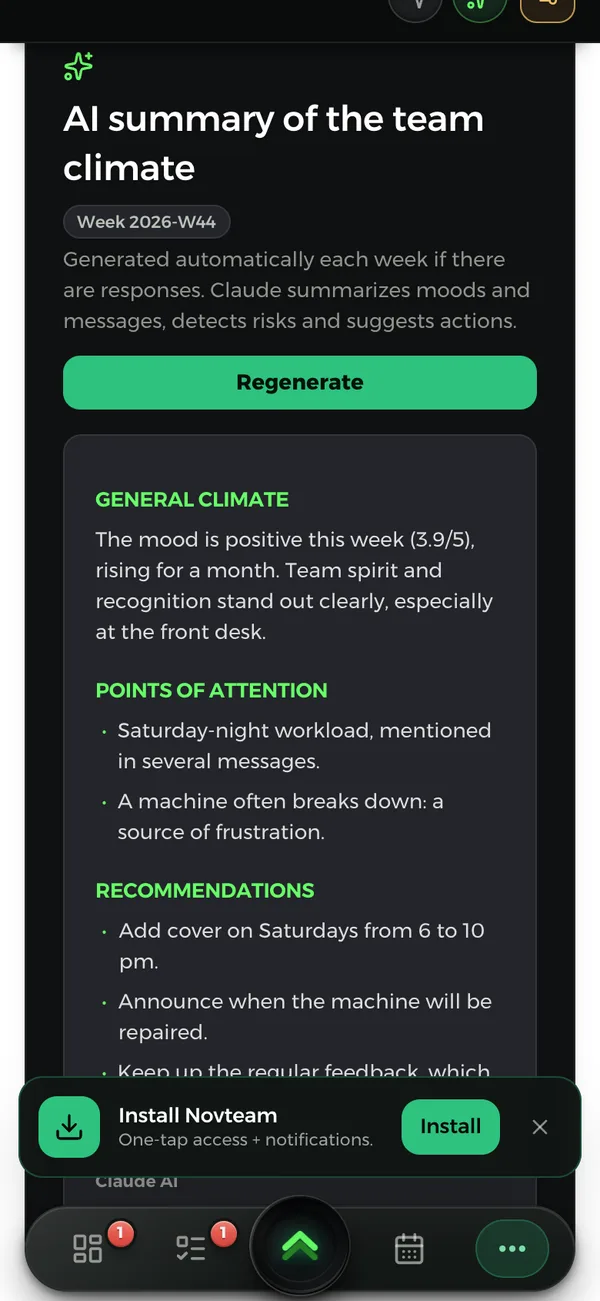
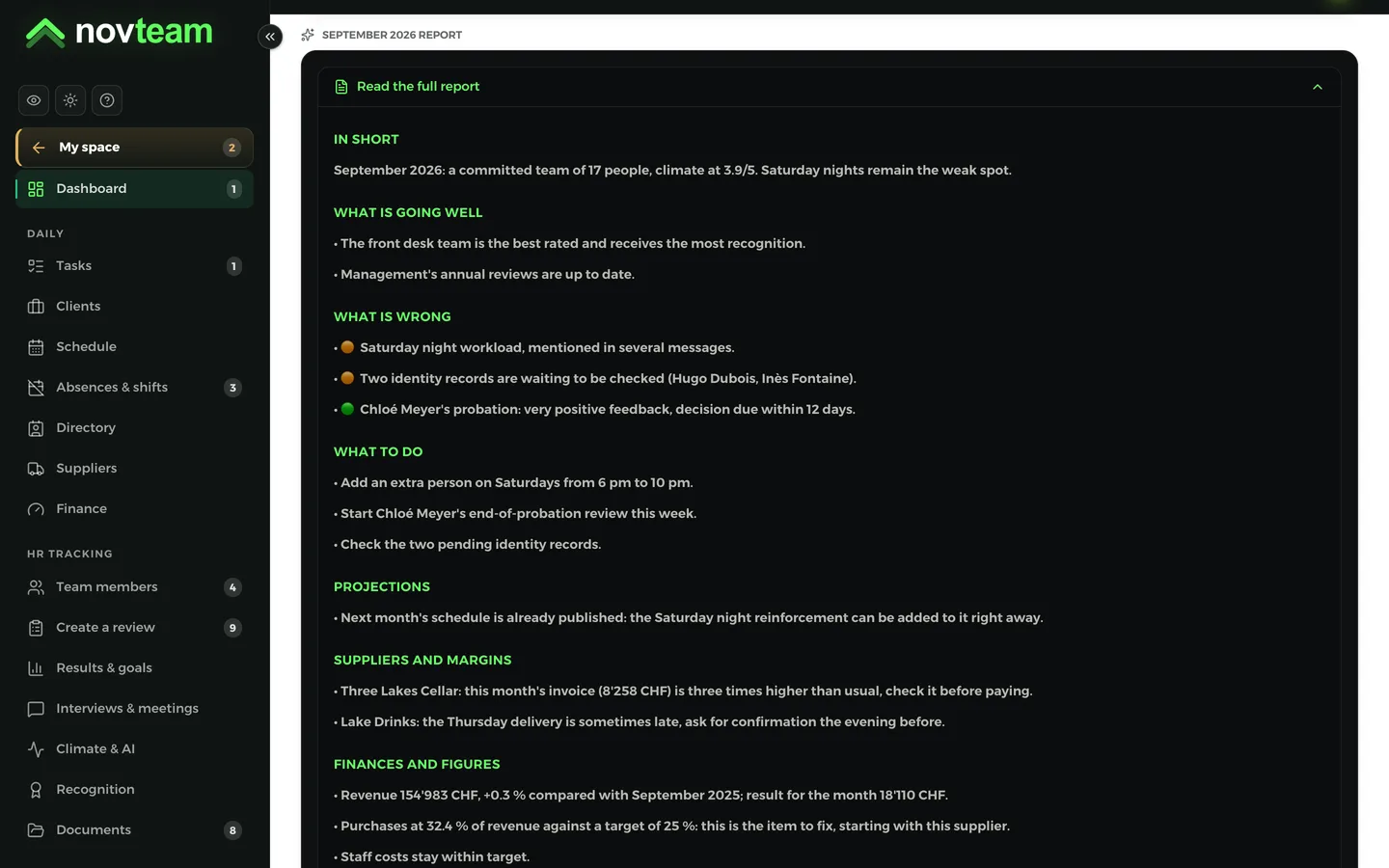
The monthly report written by AI on a computer, and the team climate summary on a phone.
On computer and phone: the same app, the same data.

Three ways it helps you

  • It reads your figures

    Revenue, purchases, salaries, bank: compared with the same month last year and with your targets. Unusual amounts and off-target ratios come up first.

  • It listens to your team

    A regular question for the team, from every week to every year: your own, one from the list, or a question written by AI for your business. AI sums up the answers, without naming anyone.

  • It tells you what to do

    The monthly report ends with “What to do”: concrete actions to start straight away. And the HR assistant answers your questions about your team.

What AI writes to you, in practice

Examples taken from the demo. In your workspace, the same messages are written from your figures and your team’s answers.

  • IAIn short

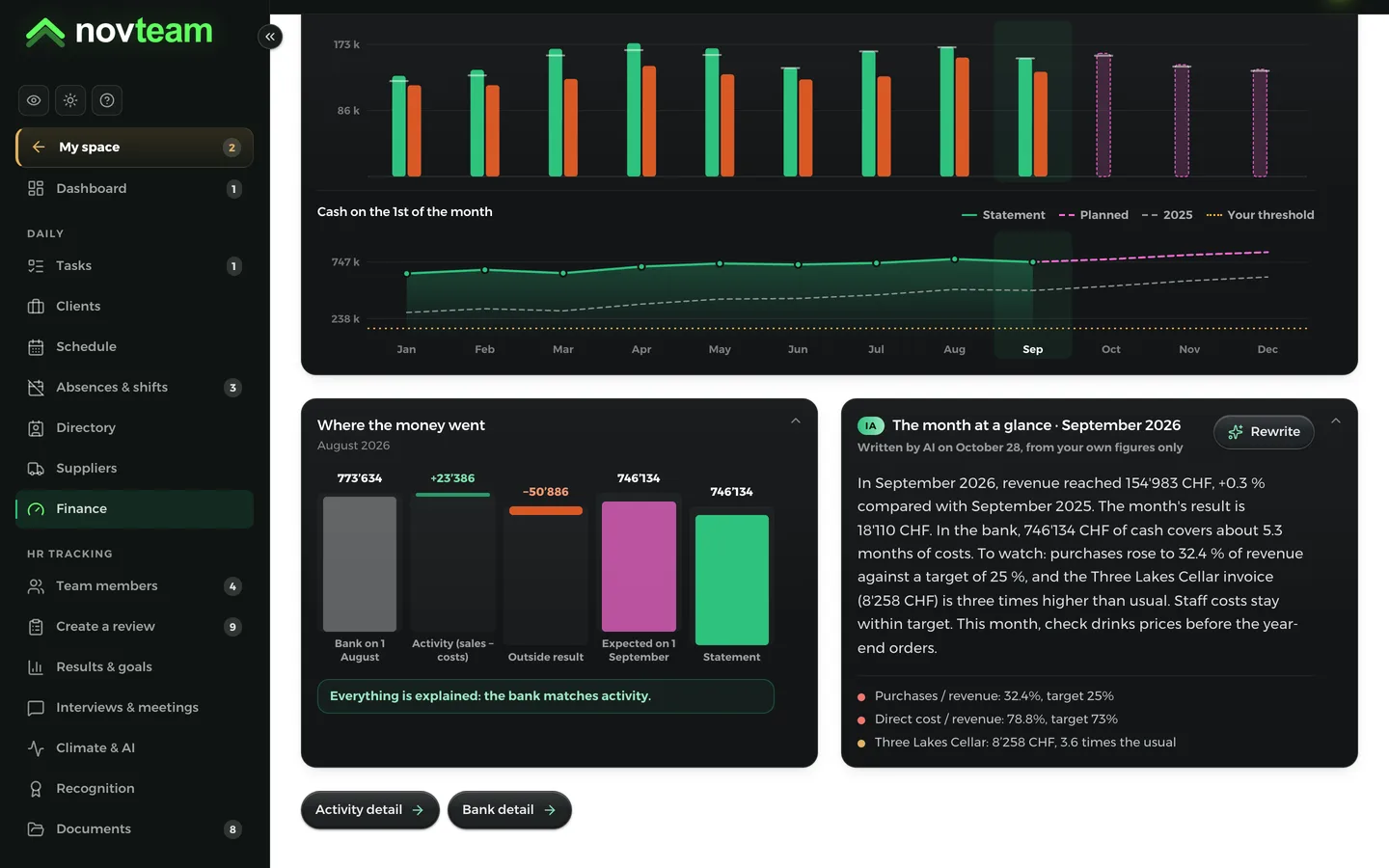
    In September, revenue reached CHF 154’983, +0.3% compared with September 2025. In the bank, about 5.3 months of costs are covered.

  • IAWhat is wrong

    Purchases at 32.4% of revenue against a target of 25%: this is the item to fix.

  • IASuppliers

    This supplier’s invoice for the month is three times higher than usual: check it before paying.

  • IATeam climate

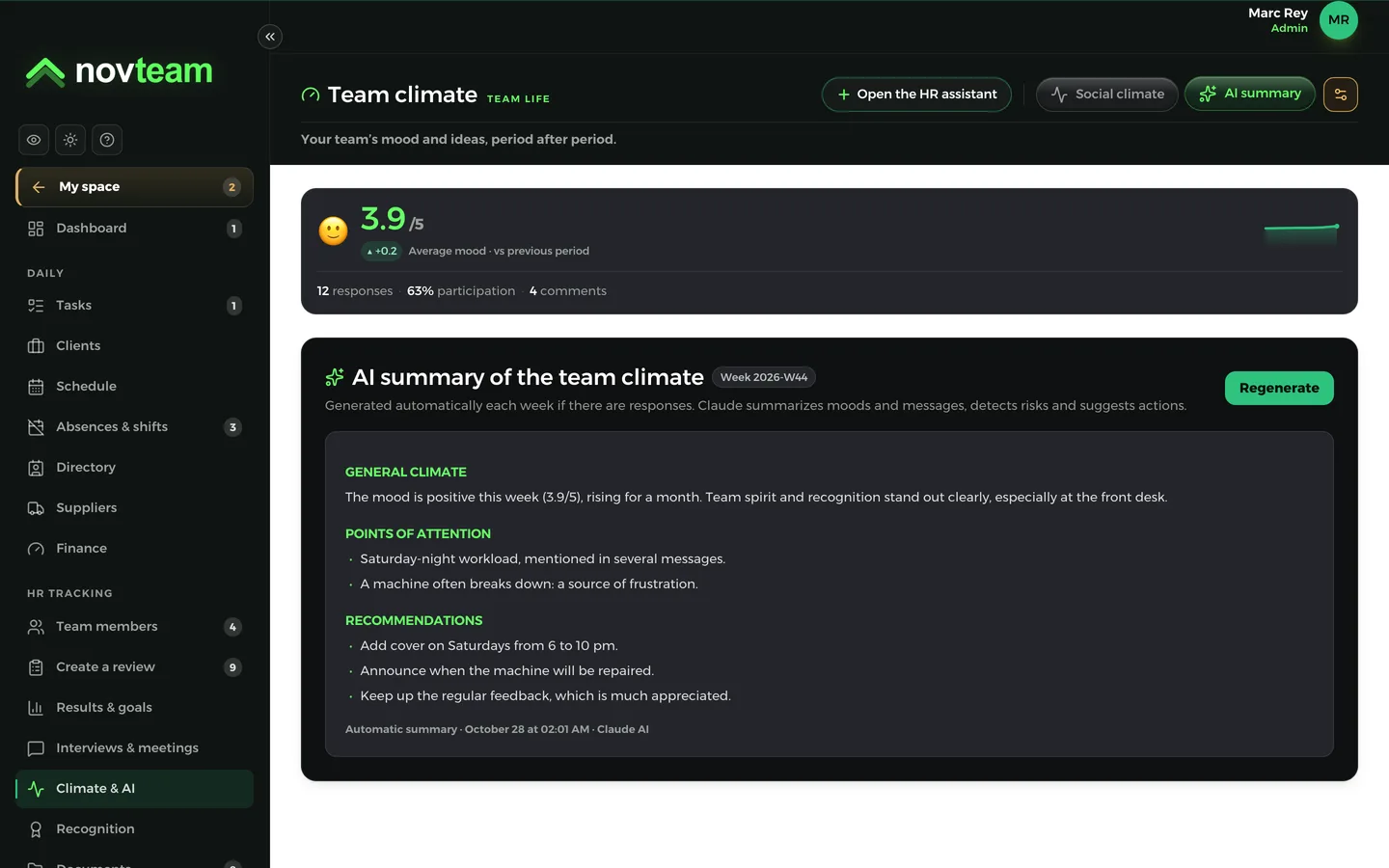
    The mood is positive, rising for a month. Point of attention: the Saturday-night workload, mentioned in several messages.

  • IAWhat to do

    Add extra cover on Saturdays from 6 to 10 p.m., and start the end-of-probation review this week.

  • IAWhat is going well

    Reception is the best-rated team, and management’s annual reviews are up to date.

AI in Novteam, screen by screen

The app’s real screens. Each analysis runs on its own at the right time, or in one click whenever you want.

Monthly report

On the 1st of the month, your business on one page

AI reads everything Novteam knows about your month: the schedule and hours worked, absences, tasks and forgotten checklists, goals, supplier margins and price rises, finances against last year, the bank. It turns all this into a clear report, on your dashboard.

  • In short, what is going well, what is wrong, what to do
  • What is wrong, sorted by urgency: red, orange, green
  • Projections for the following month
  • A notification on the 1st: your report is ready
On the 1st of the month, your business on one page

Dashboard

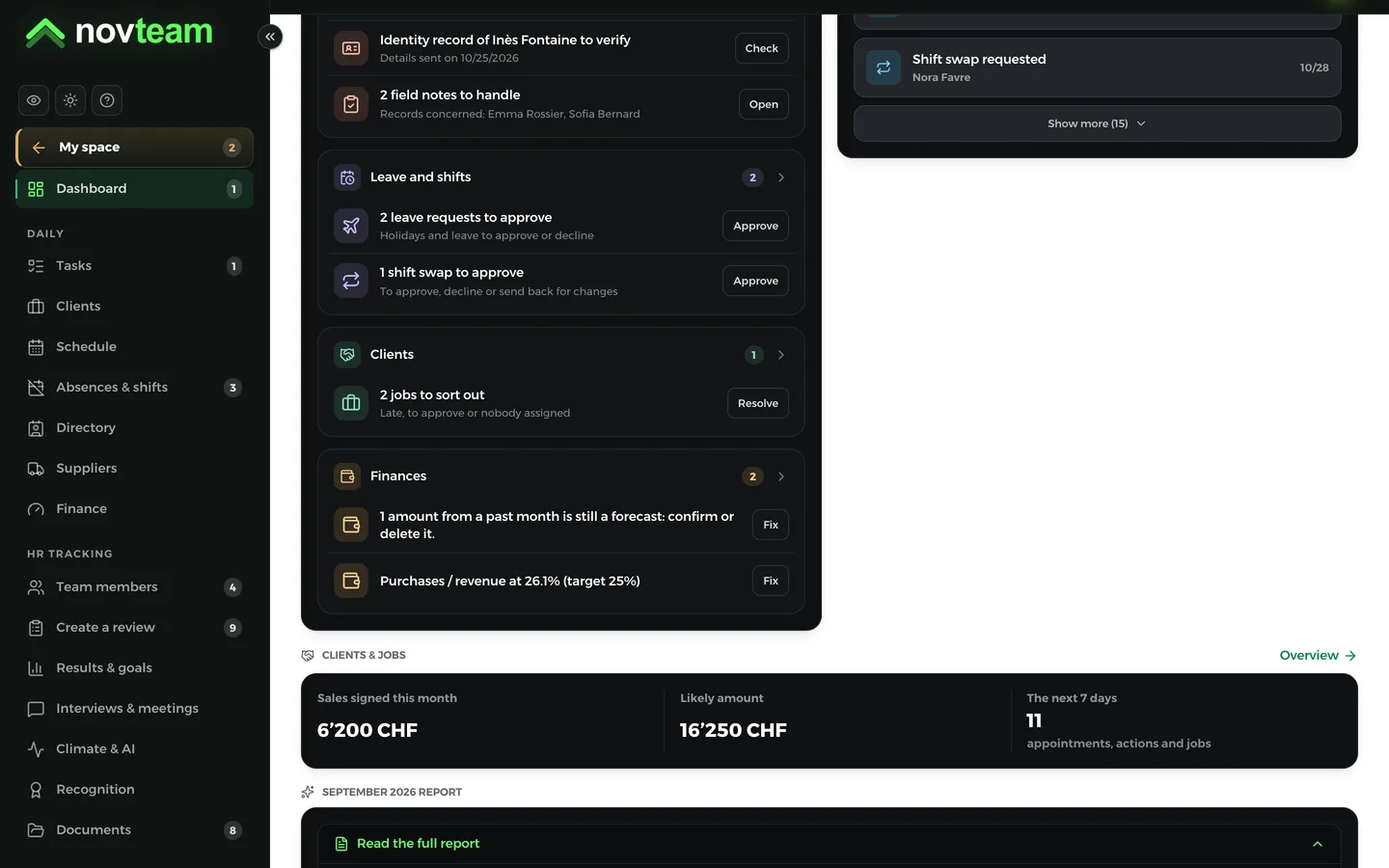
What needs your attention, right away

On your dashboard, the “To handle” list gathers what is waiting for a decision: a probation period ending, documents to sign, a record to check, an amount to confirm, a ratio above its target.

  • The most urgent at the top, then by category
  • Finance: an amount to confirm, an off-target ratio
  • Clients: overdue follow-ups
  • A button on every line to nudge, approve or correct
What needs your attention, right away

The month at a glance

Your figures explained in a few lines

As soon as the month is complete, AI writes the month at a glance from your figures alone: revenue against the same month last year, the result, the bank, what is slipping and the one thing to watch this month.

  • An unusual expense flagged: 2.5 times higher than usual, or one zero too many
  • Staff, purchases, overheads: each ratio against your target
  • Targets suggested from your industry’s averages
  • A notification with the points to watch
Finance
Your figures explained in a few lines

Team climate

Your team’s feedback, summed up by AI

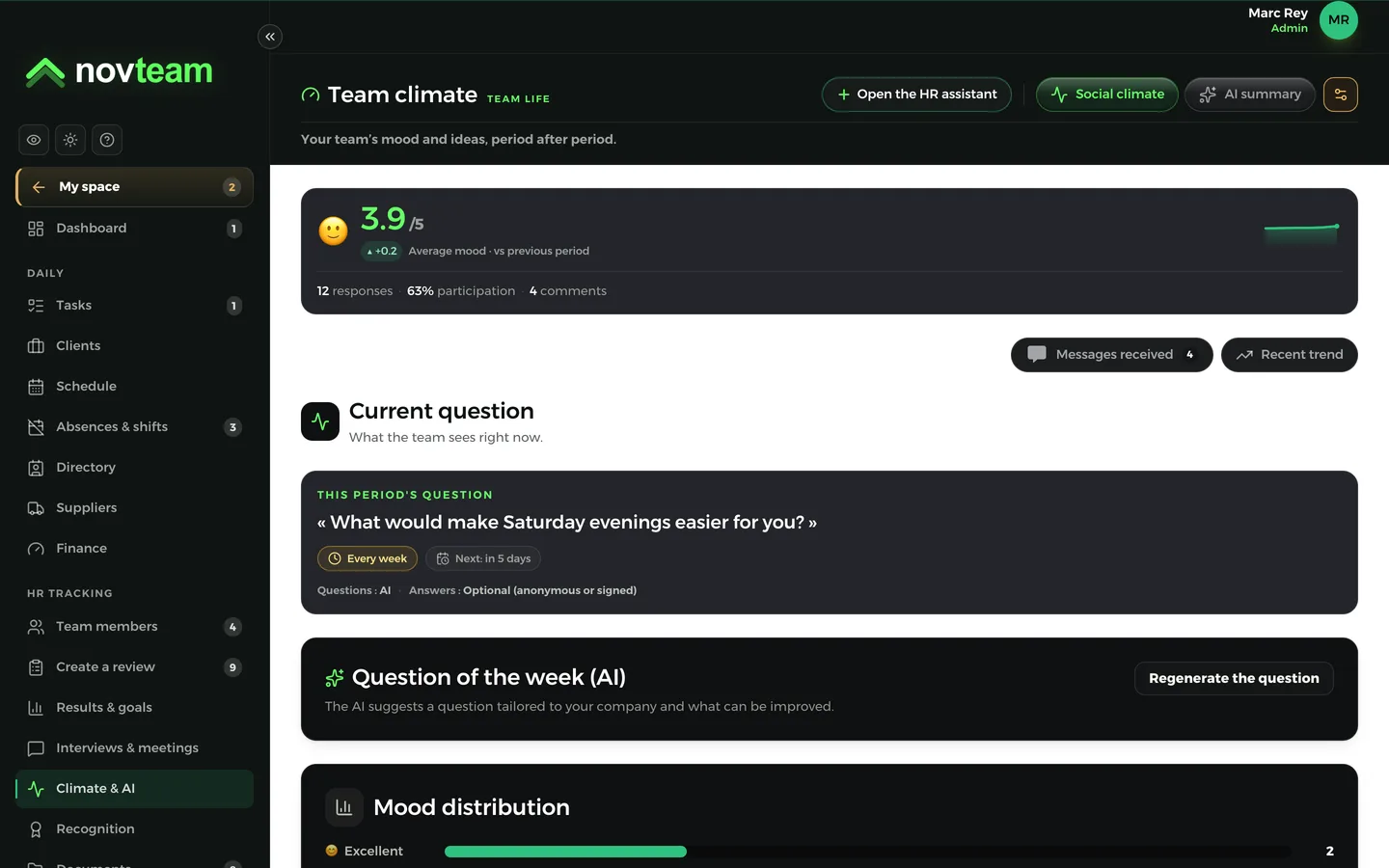
A question goes out to the team as often as you choose. Everyone answers in a few seconds: their mood, and a message if they want. As soon as half the team has answered, AI sums up the climate, spots the points of attention and suggests actions for the week.

  • Answers anonymous, signed, or left to each person
  • General climate, points of attention, recommendations
  • The trend over recent periods
  • No names in the summary
Reviews & interviews
Your team’s feedback, summed up by AI

Questions for the team

The questions you want to ask your team

Choose your questions: from the list, your own, asked in turn, or a question written by AI for your business, based on what could be improved. You read it and approve it before it goes out.

  • Your own list of questions, asked in turn
  • An AI question tailored to your business, which you can edit
  • Eight frequencies, from every week to every year
  • A reminder to the team with each new question
Reviews & interviews
The questions you want to ask your team

HR assistant

A question about your team? Just ask

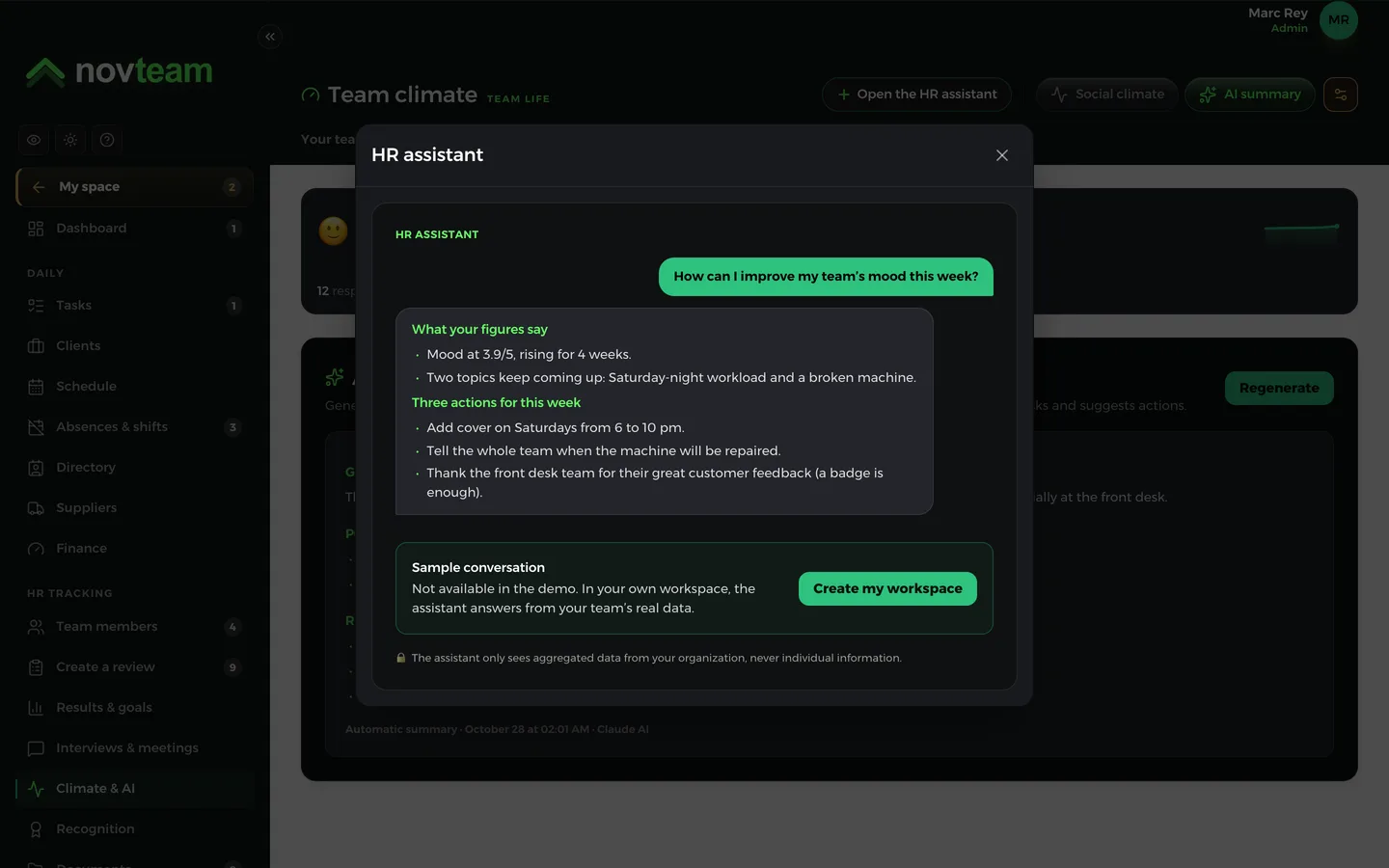
The HR assistant answers from your team’s figures: the climate, reviews, certifications that are expiring, recognitions. It suggests concrete actions for the week.

  • It only sees grouped figures, never an individual
  • Reserved for administrators
  • It answers in your company’s language
  • It keeps track of the conversation
Reviews & interviews
A question about your team? Just ask

Clients

Your visit reports, organised by AI

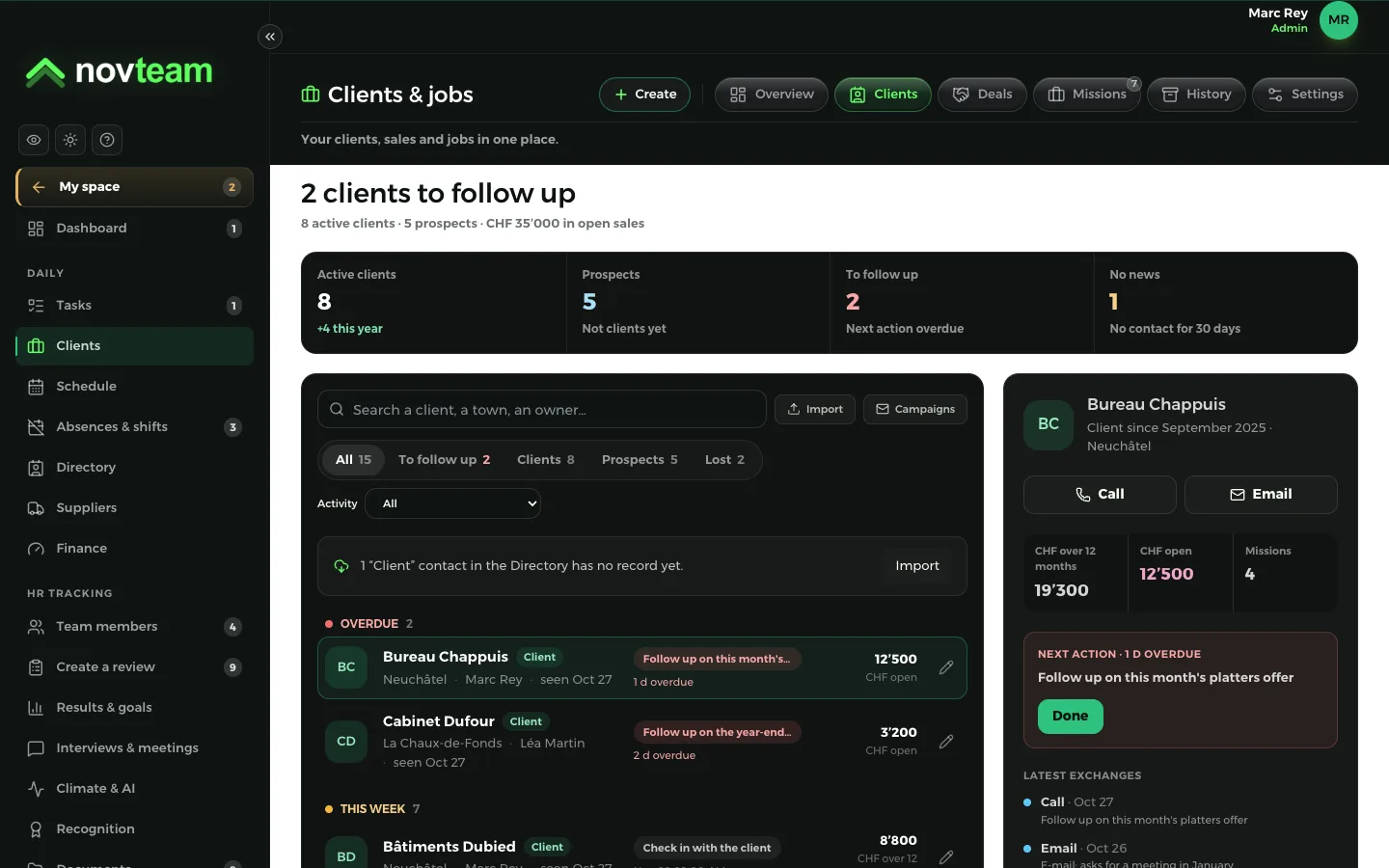
After a visit or a call, type or dictate your report in the client’s record. AI picks out their needs, their objections and the next step, and suggests a follow-up date. You check, then you add it.

  • Needs, objections, next step
  • A suggested follow-up date
  • Nothing is saved without your approval
  • You can dictate from your phone
CRM: clients and sales
Your visit reports, organised by AI

How it works

  1. 1

    Novteam already knows your business

    The schedule, hours, absences, tasks, suppliers, finances: you already keep them in Novteam. Nothing extra to enter for the AI.

  2. 2

    AI compares and flags

    Against the same month last year, your targets, each expense’s usual pattern, and what your team says.

  3. 3

    You decide

    The report, the month at a glance and the “To handle” list show you where to look. One click to act.

AI advises, you decide

  • Your figures only

    AI writes from your company’s data, nothing else. It doesn’t give tax or legal advice.

  • Everyone sees what concerns them

    Finances and purchase prices stay reserved for the people allowed to see them.

  • Anonymity respected

    Anonymous answers stay anonymous, and the climate summary names no one.

  • Included in the price

    AI is part of the subscription, with no paid add-on.

Questions about AI

Does AI decide for me?

No. It reads, compares and suggests. Nothing changes without your approval: the AI’s question waits for you to approve it, and a visit report organised by AI waits for your click.

Do I need to enter extra data for AI?

No. It starts from what you already do in Novteam: schedule, hours, absences, tasks, suppliers, finances, climate. The more up to date Novteam is, the more accurate the report.

Do my employees see the report?

No. The monthly report and the month at a glance are for management. The Finance and Suppliers sections only show for people allowed to see them.

Is my data used to train AI?

No. Novteam uses a business offering that doesn’t train models on its customers’ data. The details are in our privacy policy.

Does AI cost extra?

No. It’s included in the subscription, like every module.

What language does it write in?

In your company’s language: French, German, Italian, English or Spanish.

Your first schedule, published today.

Schedule published, hours approved, instructions read: tonight, it’s all sorted. Try Novteam for 14 days, no card required.

  • 14-day free trial
  • no credit card
  • no commitment

Try it, right now.

Step into a demo company in your line of work, filled as if after a year of use. No sign-up, no e-mail.

1. Your business

Shared demo, reset automatically. Do not enter real data.