What comes in, what goes out, what’s left.
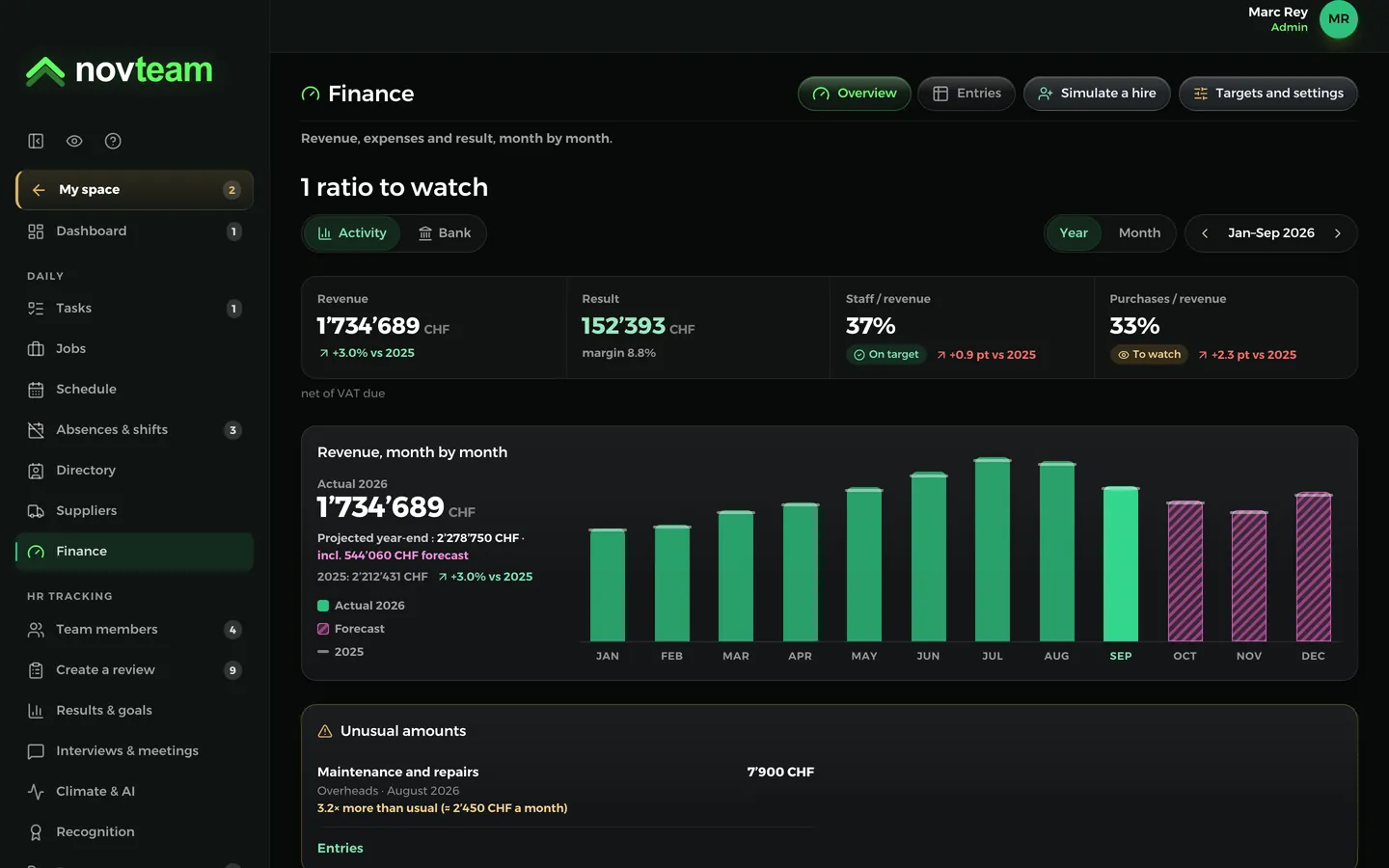
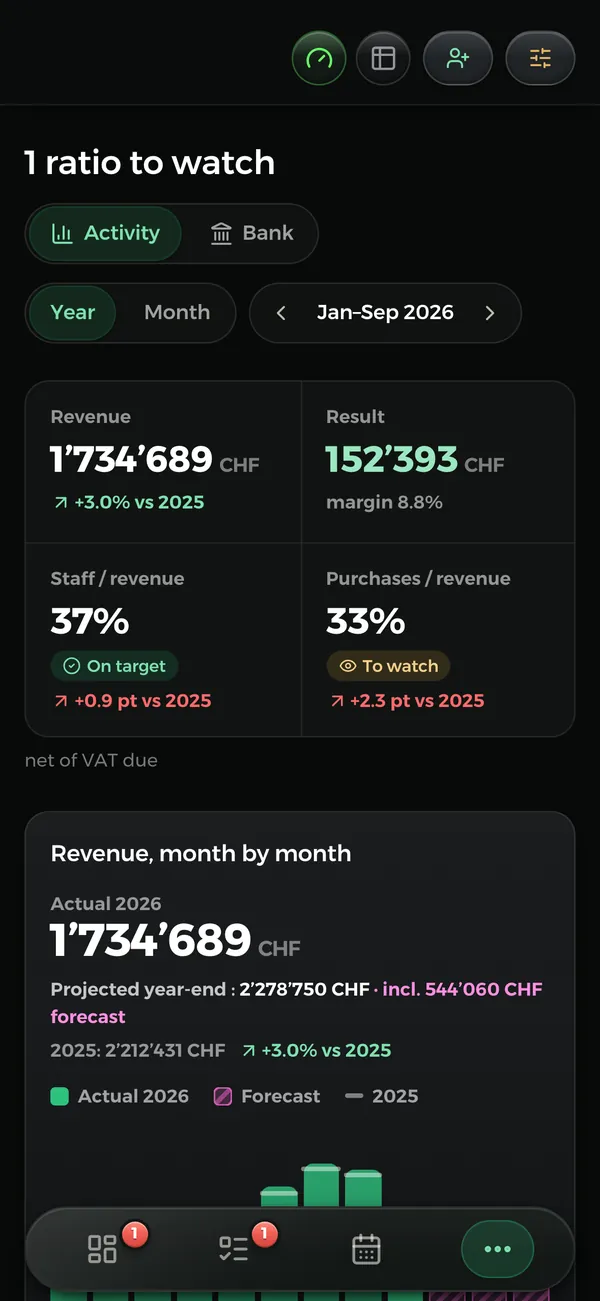
Revenue, purchases, salaries, overheads and bank accounts, month by month: you see your profitability, what’s forecast until the end of the year, and what’s slipping.
AI tells you where to look.
Once a month, in one click, the monthly analysis goes through your figures: sales against last year, result, bank, then what is slipping (a ratio off target, a supplier much dearer than usual) and what to do next.
Your spreadsheet, only better.
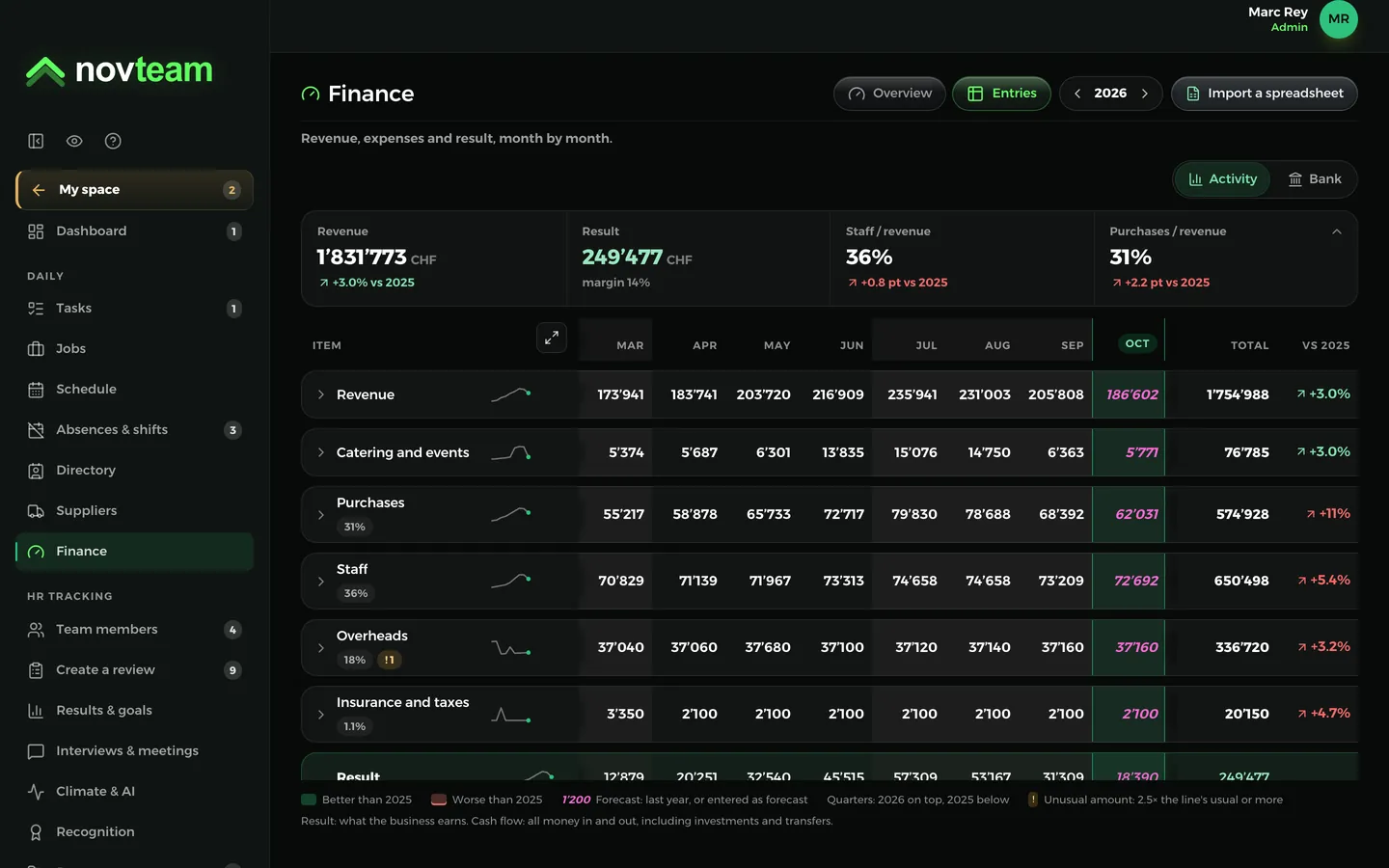
Import the file where you already track your figures, or start from a template ready for your industry. One line per item, months in columns, several invoices per cell.
Actual and forecast.
What’s forecast shows in pink until the invoice arrives. You can see the forecast year-end today.
A summary in ten seconds.
Revenue, result, margin and ratios against your targets, suggested from your industry’s averages. What’s off target comes first.
Your bank accounts.
Each account’s balance on the 1st of the month and your forecast cash. A gap is flagged when the statement doesn’t match your activity.
Unusual amounts.
An invoice much higher than usual is flagged: an unexpected repair, or one zero too many.
Before you hire.
Enter a salary: Novteam calculates its cost to the business and what it does to your staff costs as a share of revenue.
Receipts by photo.
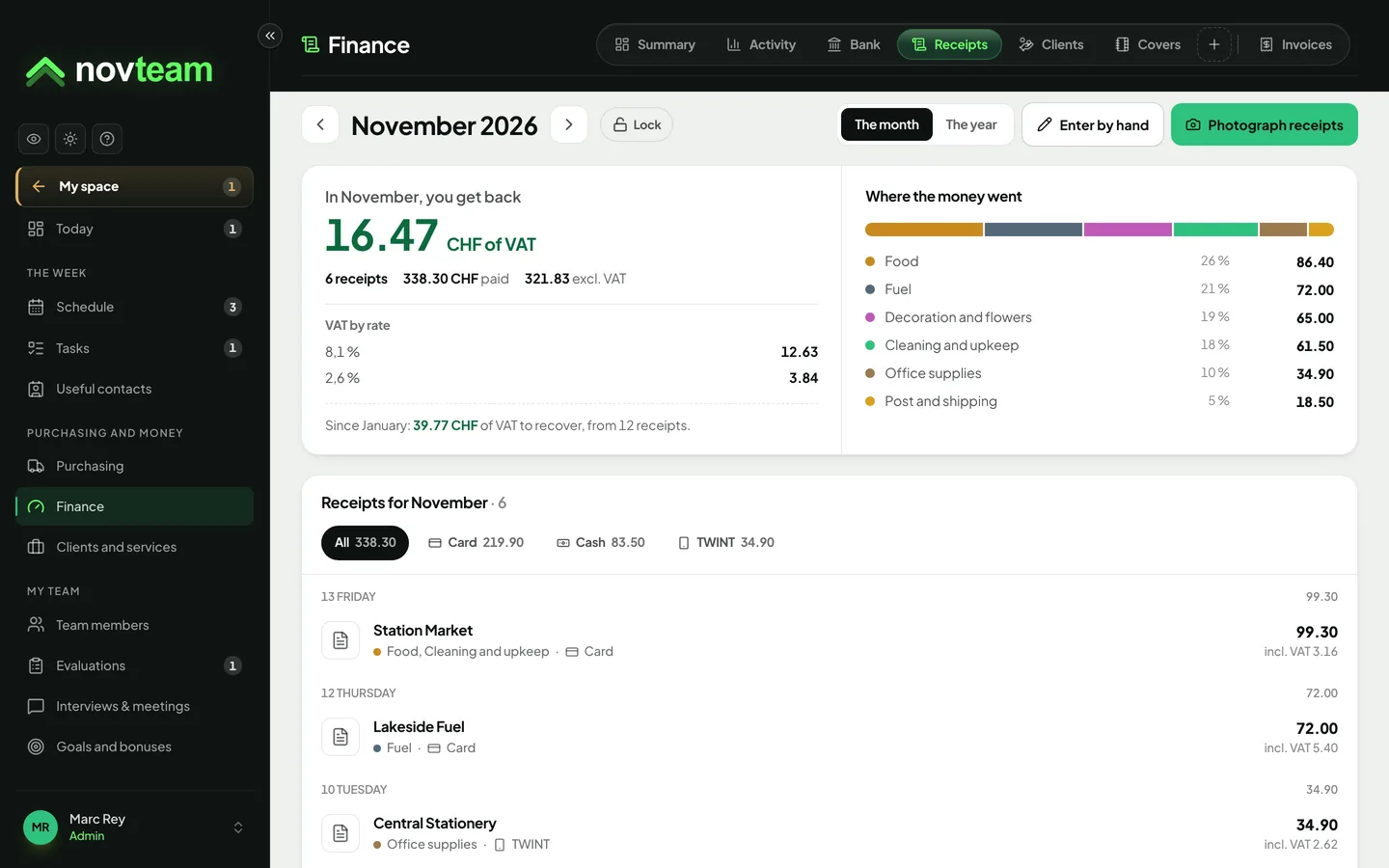
Groceries, fuel, postage, small equipment: each receipt is photographed or typed in. Each VAT rate is kept apart, and the month tells you how much VAT you recover.
The FTA VAT statement.
The statement arrives as a PDF: the AI reads it, files it with your invoices and adds it to what you send your accountant.
Every entry, found again.
An amount, an invoice, a receipt: the history searches every year and takes you to the right cell of the sheet.
Entry, like your spreadsheet.
Actual in white, forecast in pink, and every line compared with last year.
The month’s receipts.
The VAT recovered in large type, where the money went, and every receipt with its shop and payment.
And on your phone.
The summary
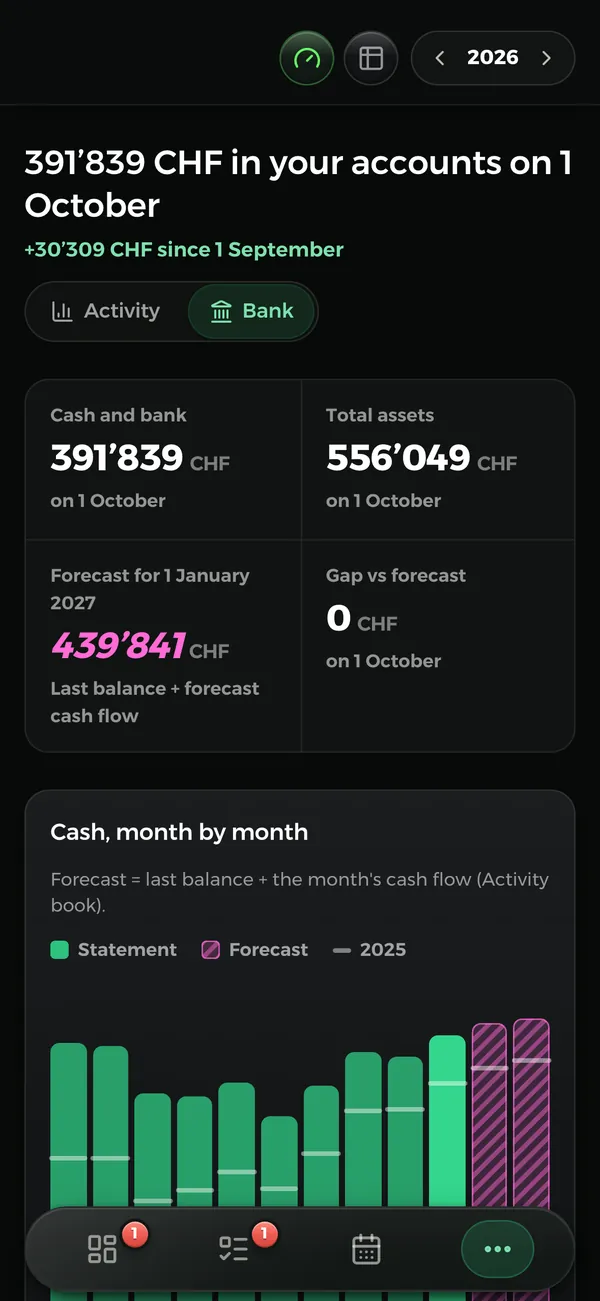
The bank
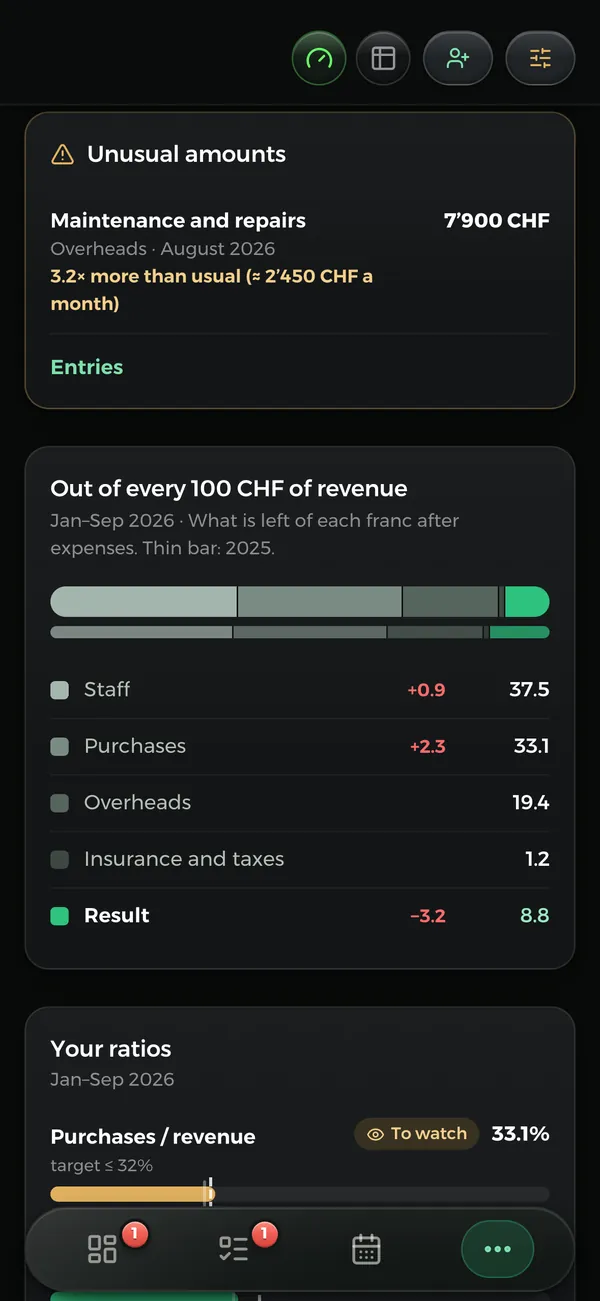
What to look at
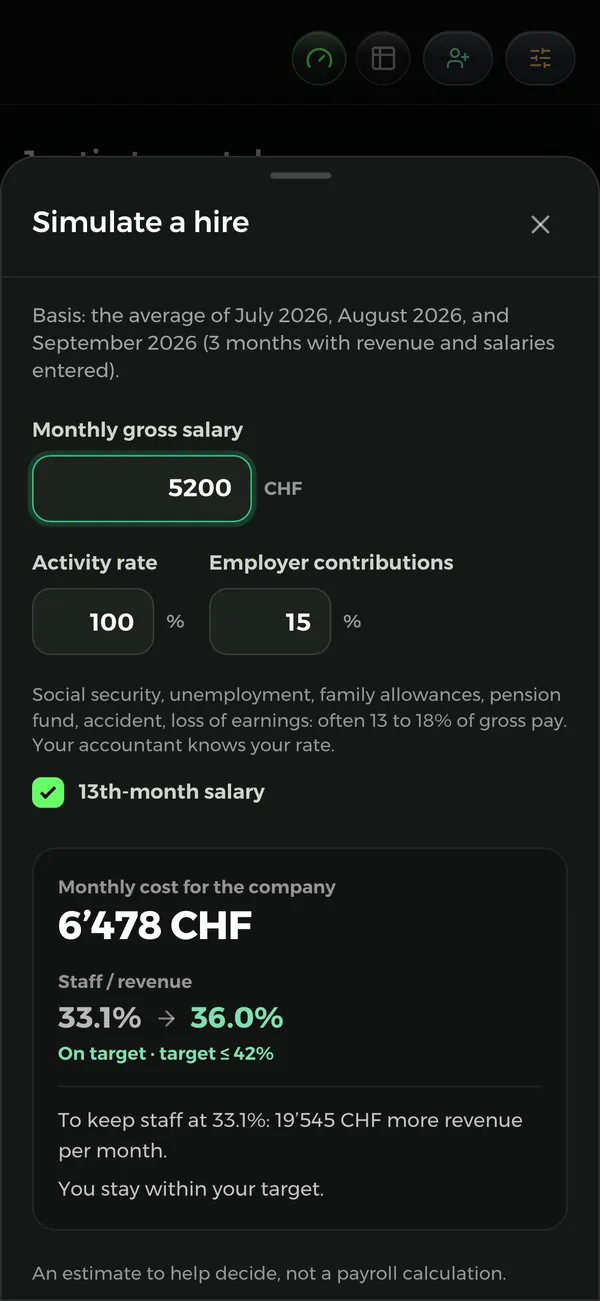
Simulate a hire
Questions
Does it replace my bookkeeping?
No. Novteam doesn’t keep your books and doesn’t replace your accountant: it gives you a reading of the month, so you can decide in time.
Where do the figures come from?
You enter them or import your spreadsheet. Hours clocked in Novteam can be brought in with one click.
Who can see them?
The administrators of your workspace. You can also open a single page to one person: your secretary enters receipts without seeing the rest. Your team has no access.
What about VAT?
You say whether your amounts include VAT, and how you account for it. Novteam calculates your ratios excluding VAT and estimates the VAT due.
Your team, your figures and your suppliers, together by tonight.
Try Novteam for 30 days, no credit card. Or book a demo: we show you Novteam on your own case.
- 30-day free trial
- no credit card
- no commitment