Your restaurant’s schedule, team and figures, finally in one place.
Shifts that change all week, extras, hours to check, new staff to train, hygiene, supplier invoices: Novteam brings it all together in one app, on your computer and on every employee’s phone.
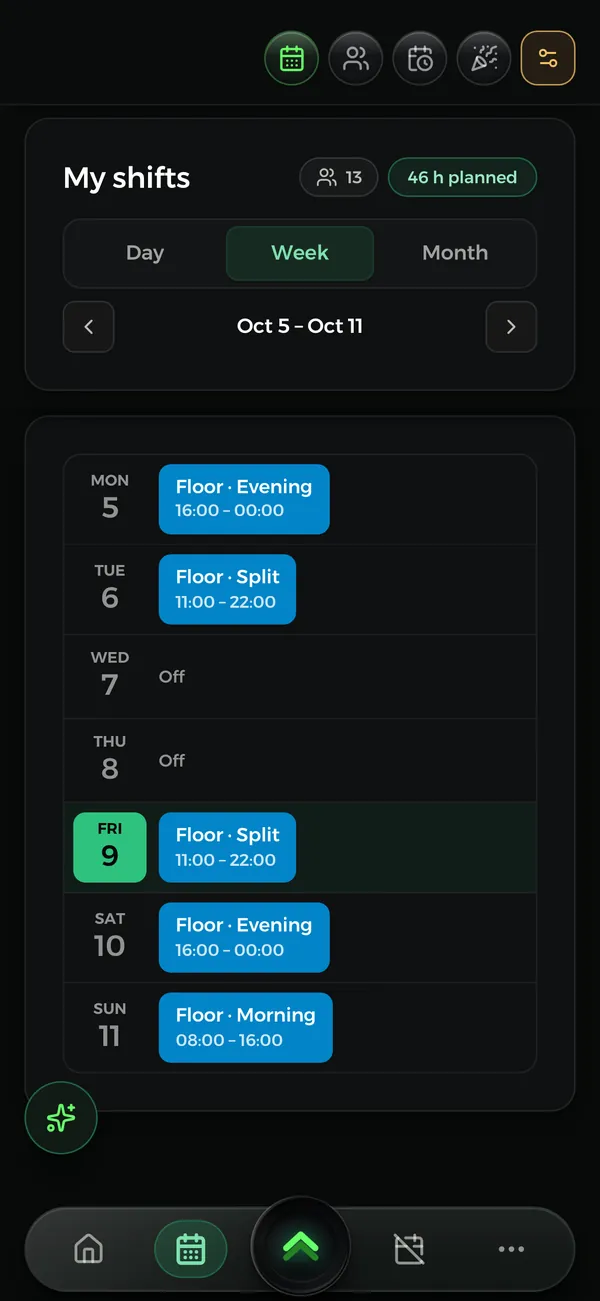
The schedule published two weeks ahead, on everyone’s phone
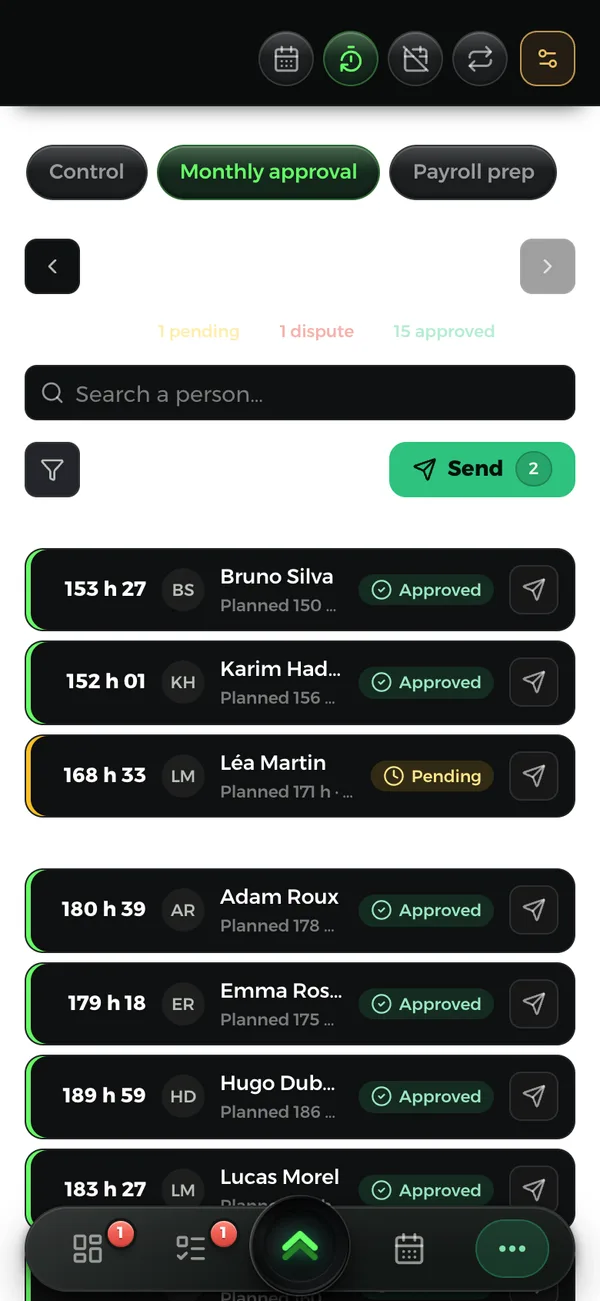
Hours clocked, then approved every month by each employee
Hygiene, new starters, suppliers and finances in the same app
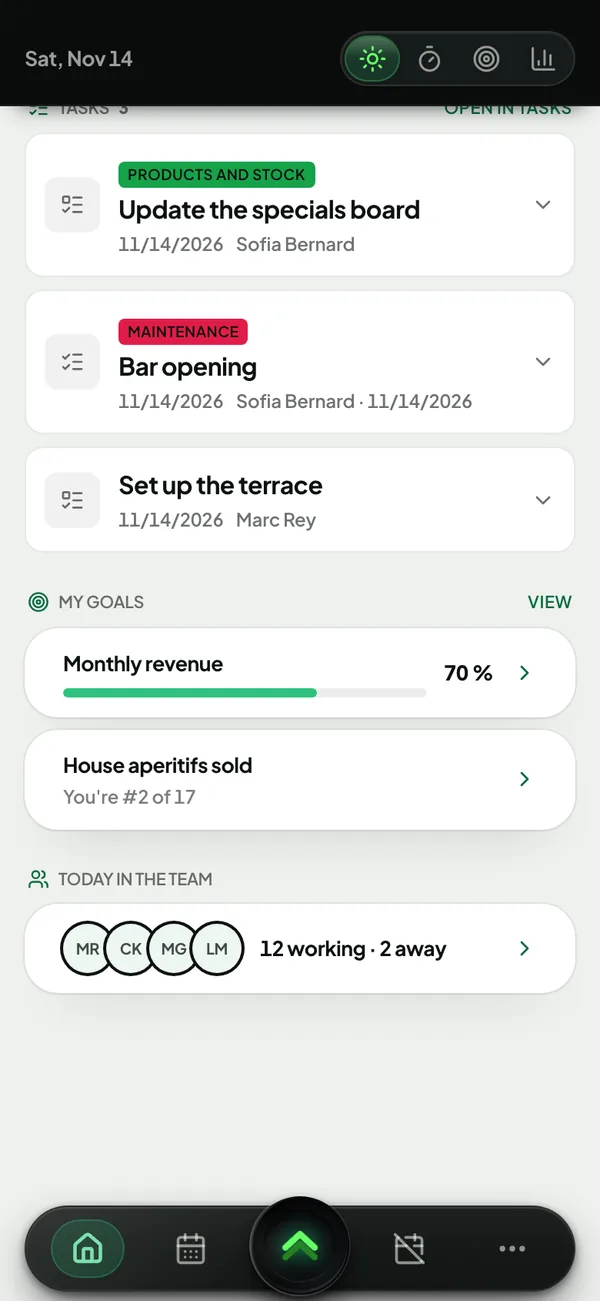
On computer and phone: the same app, the same data.
Sound familiar?Soundfamiliar?
« “Sorry, I can’t come in today.” A text at 7 a.m., and I spend the morning on the phone. »
They put their shift up for grabs in the app, and a colleague takes it from their phone. You’re notified, without a single call.
« Overtime and rest days, I count them all again by hand at the end of the month. »
Everyone clocks in, rest days are counted week by week, and each employee approves their month in the app. They can see their hours and balances at any time.
« Every new starter means a pile of paperwork: contract, staff rules, ID, IBAN. »
Their onboarding path is waiting in the app: they read and sign their documents, and fill in their identity record themselves.
« I train people, and they leave after a few months. »
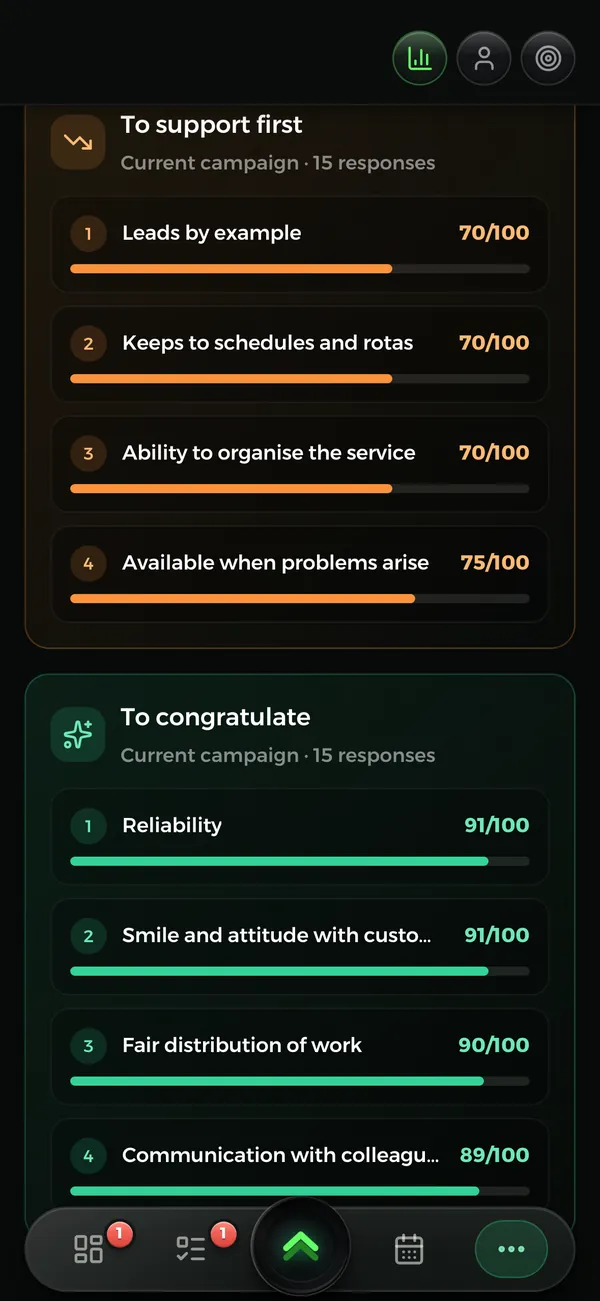
A schedule published in advance, a “Bravo” at the right moment, reviews that are followed up. And the monthly analysis sums up the team’s feedback, without names.
« The hygiene self-check file? I fill it in the night before the inspection. »
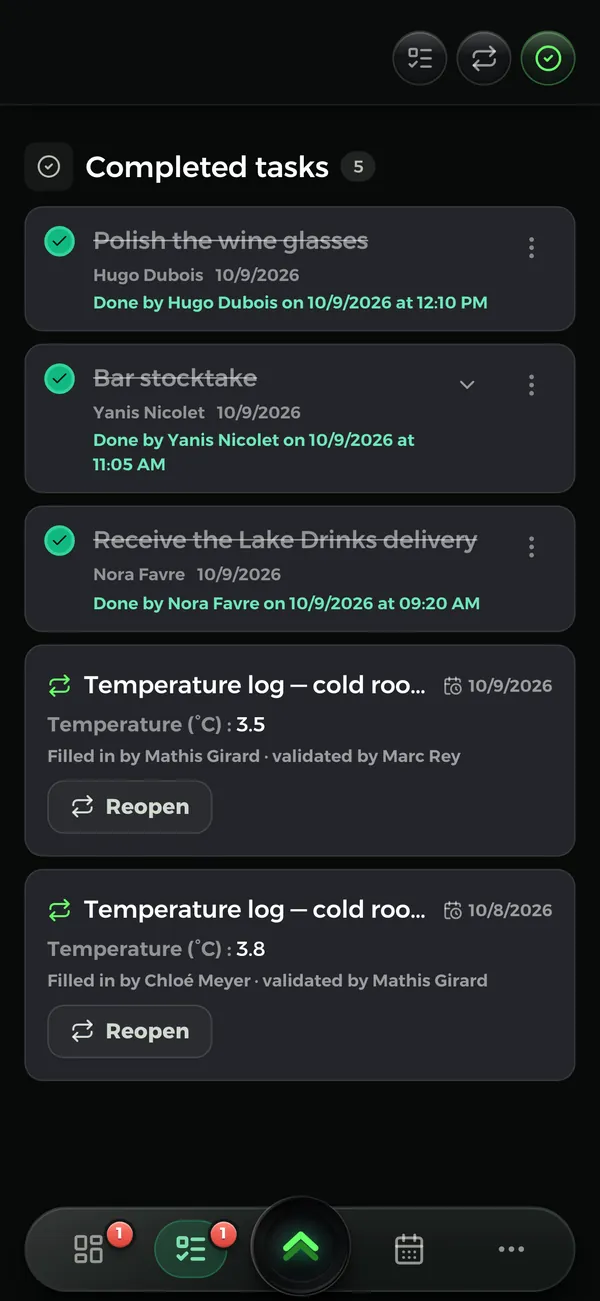
Temperatures, cleaning, opening, closing: checklists come back on their own and record who did them, and at what time.
« My suppliers put their prices up, and I notice too late. »
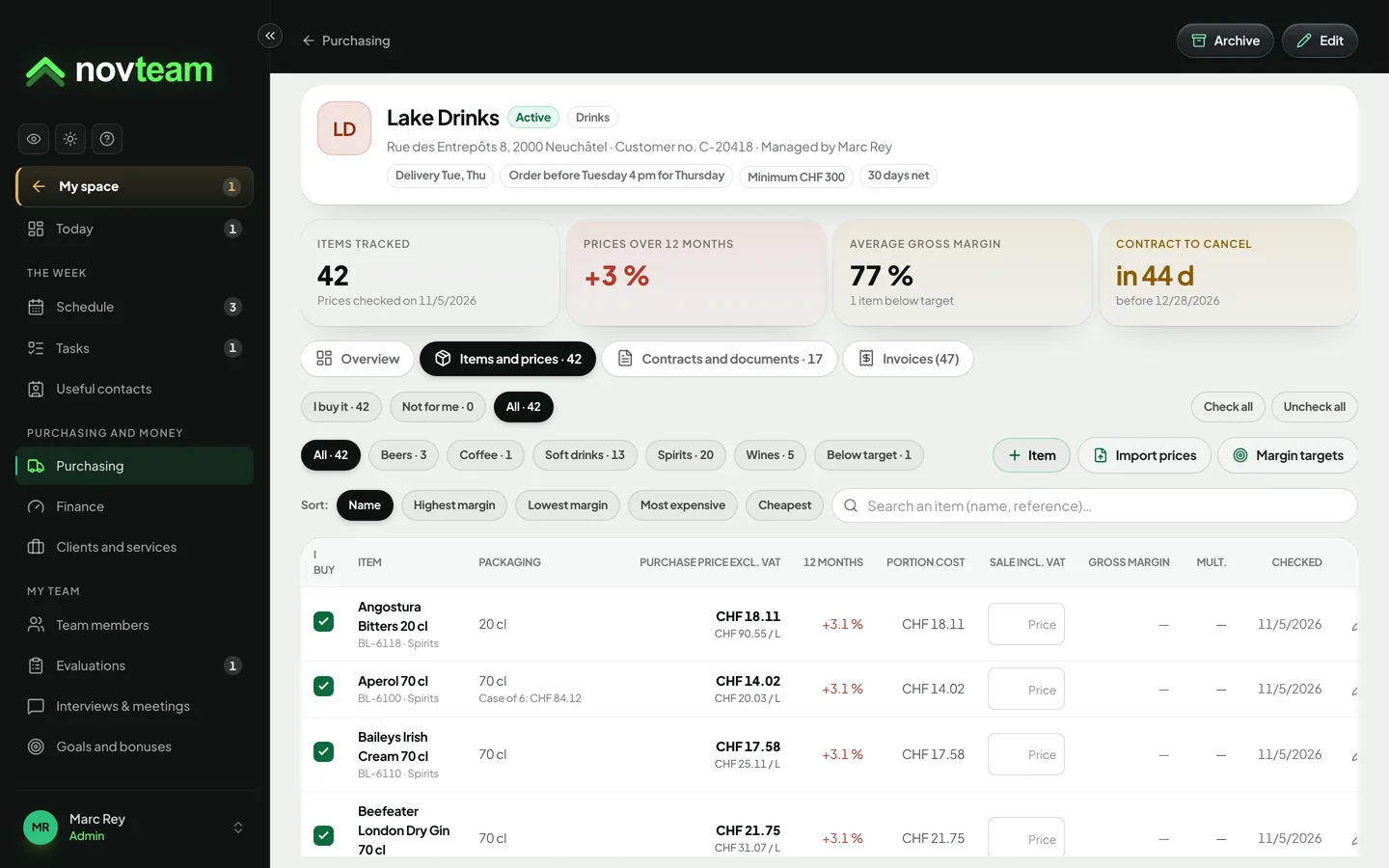
Import the price list or the invoice: the increase stands out, and you’re warned when a margin drops below your target.
The AI advisor
Your AI advisor, who knows your restaurant
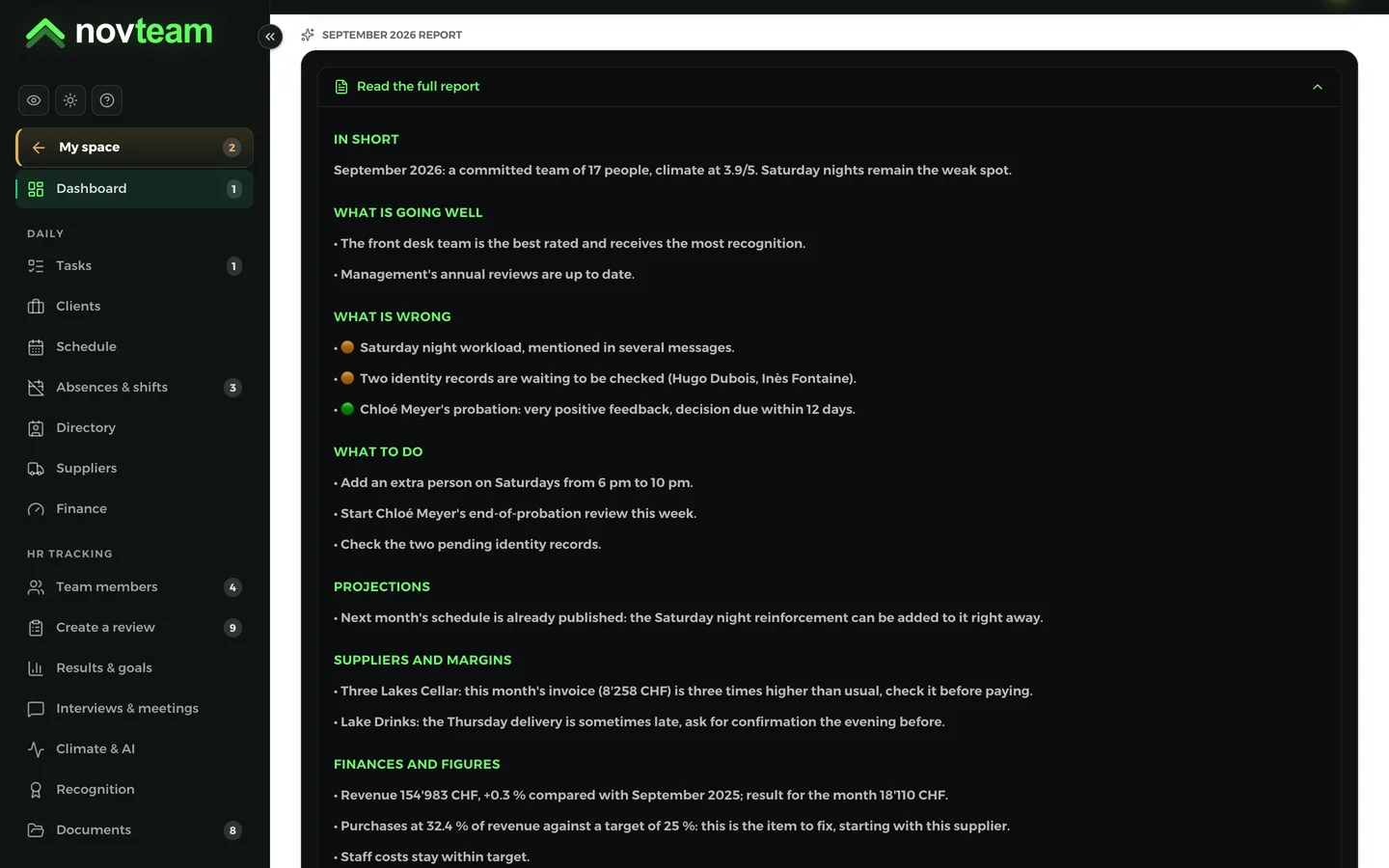
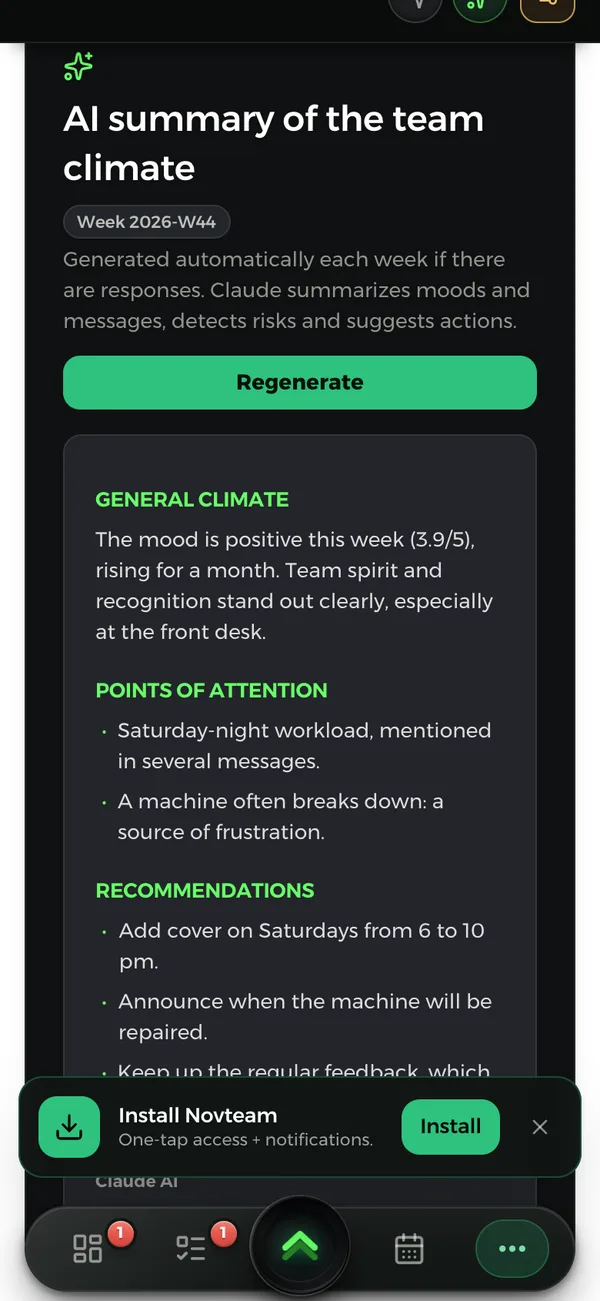
Once a month, in one click, AI writes down what’s going well, what’s wrong and what to do. It reads your purchases and staff costs against your targets, unusual invoices, the workload of each service and the team’s feedback. For example:
IAFinance
Purchases at 32.4% of revenue against a target of 25%: start with drinks prices.
IATeam
The Saturday-night workload in the kitchen comes up in several messages: add extra cover from 6 to 10 p.m.
IASuppliers
This month’s invoice from the wine merchant is three times higher than usual: check it before paying.
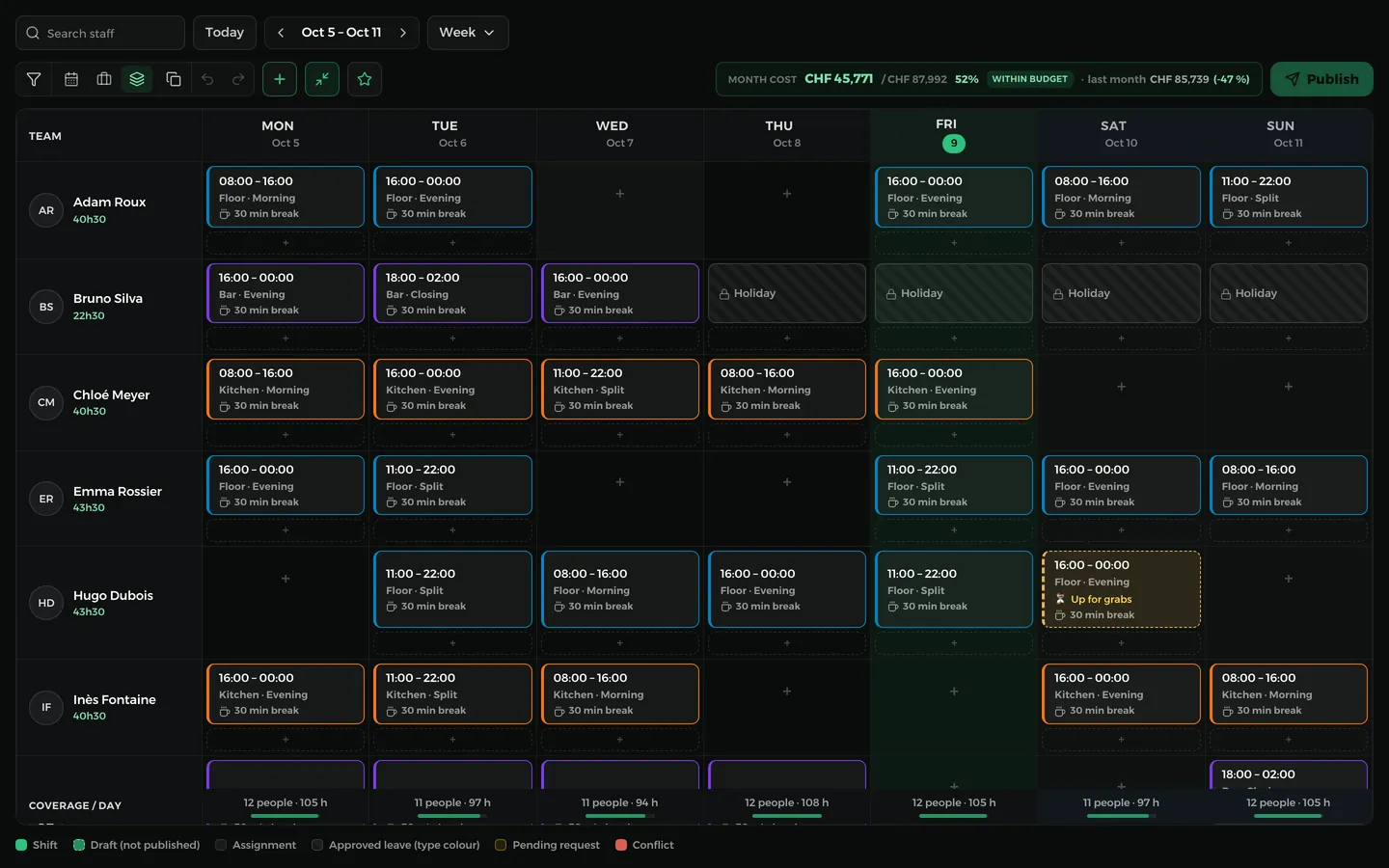
You copy the current week, adjust it, and Novteam flags a rest period that’s too short or a week that’s too heavy. You publish two weeks ahead: everyone gets their hours.
You close the month: each employee approves or disputes their hours in the app, and sees their holiday and rest-day balances. The payroll variables go to your fiduciary as a PDF, in Excel or as an import file.
Everything Novteam does for your restaurantEverythingNovteamdoesforyourrestaurant
Every feature in detail, with the screen as you’ll see it. Use what you need; everything is included in the price.
Scheduling
The week ready in minutes, on everyone’s phone
You start from the previous week, adjust, then publish one day or the whole week. Everyone gets their hours and a notification. Extras give their availability in the app.
Leave and absences already in the grid
Swaps and open shifts: the first to take it gets it
Labour Act and CCNT checks: rest periods, breaks, weeks that are too long
Everyone clocks in on their phone, or on a tablet at the staff entrance with their 6-digit code. Hours worked are compared with the schedule, and the month is approved together.
Breaks are counted automatically
Planned, worked and difference for each person
Everyone approves or disputes their days
Payroll variables as a PDF, in Excel or as an import file
A new starter? Their onboarding path is waiting in the app
You set up the path for each role once: the contract and staff rules to sign, procedures to read, videos to watch. Every new starter gets it automatically, and you see how far they’ve got.
Read to the last page before signing
Signature drawn on screen, dated and kept
Their identity record filled in by them: address, AHV number, IBAN, permit
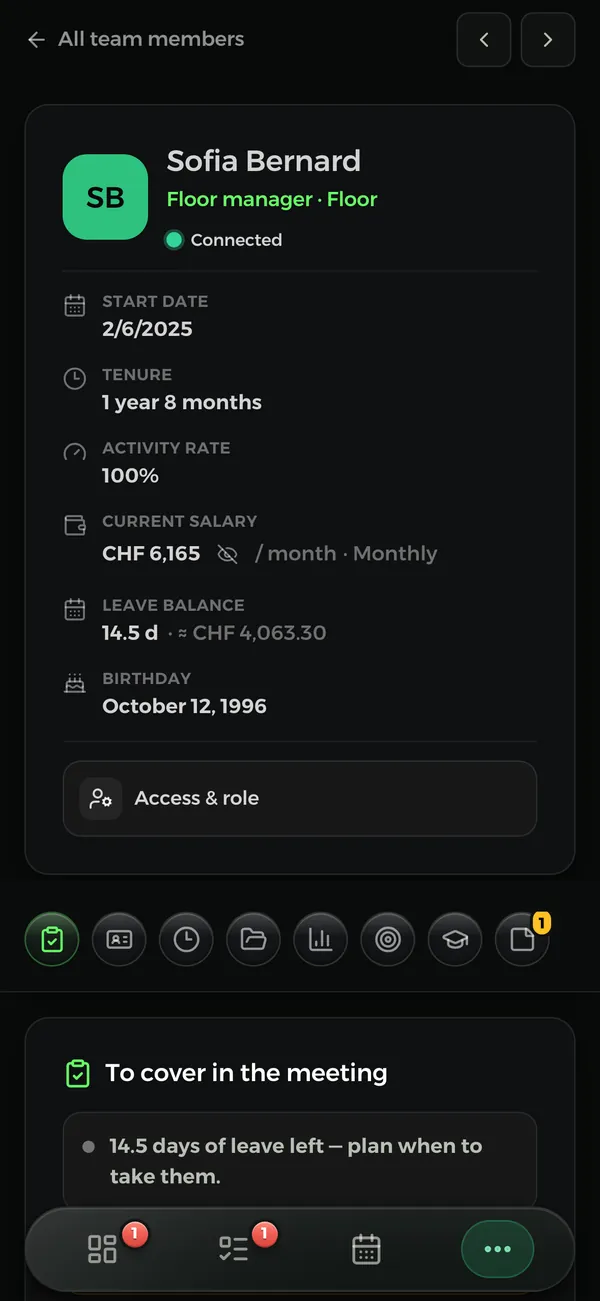
Identity, permit, contract and amendments, payslips, hours, absences, reviews, training: it’s all in their record. You note a problem or a success as it happens.
Work permit tracked, with an alert 30 days before it expires
Management notes: praise, lateness, conflict, all dated
A “Bravo” or “Employee of the month” that the employee receives
When they leave, six months of access to their file
Launch a review in a few clicks, from a ready-made questionnaire. You’re reminded when probation periods end. Interviews are signed on the spot, by both sides.
A score per criterion, the points to support and those to praise
Results without the author’s name, from a minimum number of answers
The team’s feedback, summed up in the monthly analysis
One comment shared with the employee, another kept private
Opening, closing, cleaning, temperature logs: checklists come back on their own, every day, week or month, at the time you choose. A forgotten checklist stays marked “Not finished”.
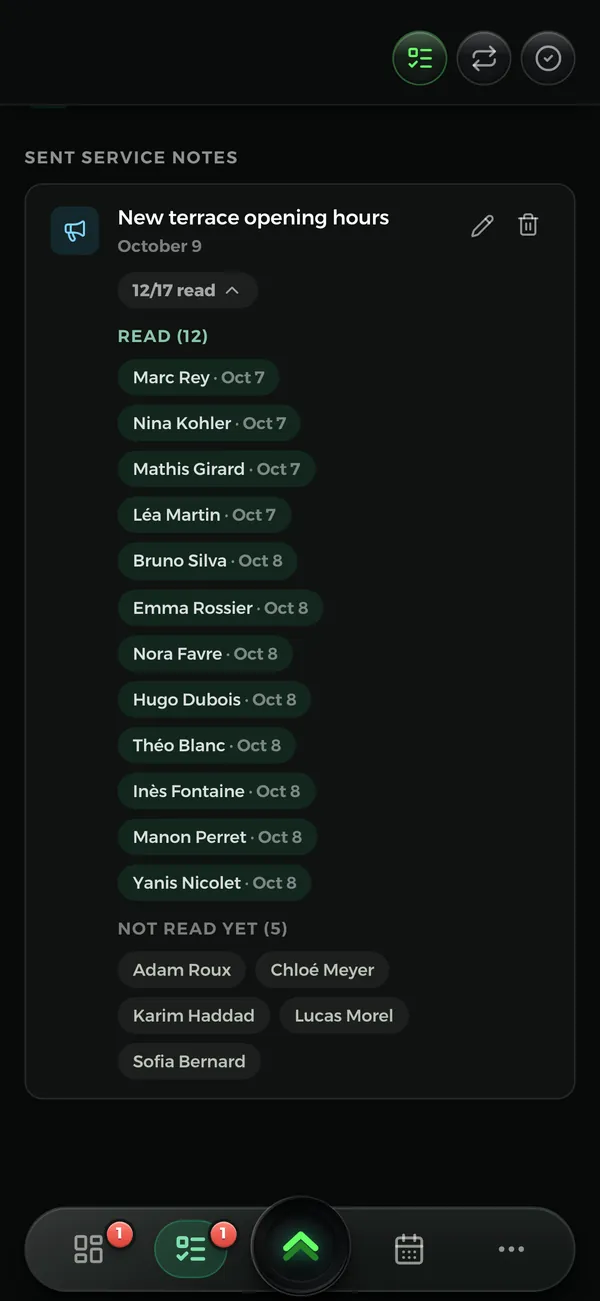
A memo goes to the whole team, the kitchen or a single person. It can ask for a read receipt. On the kitchen or bar screen: the tasks for service, memos, the weather and birthdays.
The read count: 9 read out of 12, and who’s missing
Import the price list or the invoice, as a PDF or in Excel: you check, then the prices update. Every price is dated, and you’re warned when a rise pushes a margin below your target.
Gross margin and markup for every item
A margin target per category
Compare your suppliers
A reminder 60 days before the deadline to cancel a contract
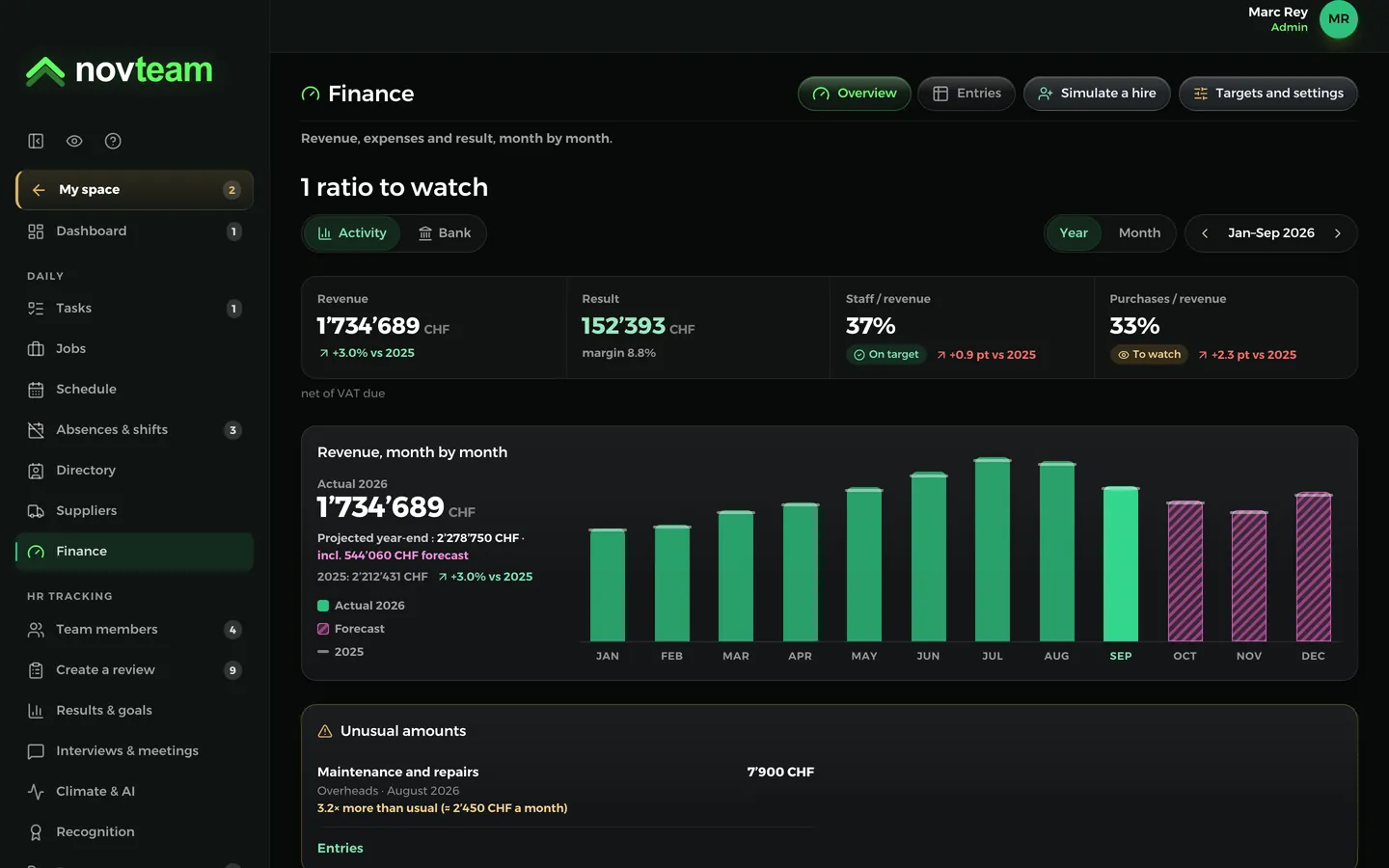
Your month’s figures, without waiting for the year-end accounts
Revenue, goods, salaries and overheads, month by month, against last year and your industry’s averages. You enter your account balances on the 1st of the month, and Novteam shows your forecast cash.
Questions from restaurant ownersQuestionsfromrestaurantowners
How much does Novteam cost for a restaurant of 15 people?
98.00 CHF a month, every module included (15 × 4.90 CHF). The price follows the number of active people in your team.
My staff aren’t comfortable with technology. Will it work?
Yes. The app is made for the phone, everyone uses it in their own language, and an employee only needs to know three things: checking their hours, clocking in, requesting leave. We can set everything up with you.
How long does it take to get started?
You can be ready the same day. The demo and the set-up with you are free.
Can I redo the schedule from my phone?
Yes. The schedule can also be edited and published from the phone, for example when someone calls in sick that same morning.
Is there a commitment?
No. You pay monthly, according to the number of active people in your team, and you cancel whenever you like.
Can extras use it?
Yes. They give their availability, receive their shifts and can take an open shift from their phone.
Are hygiene checks tracked?
Yes. Opening, cleaning, temperatures, closing: each checklist comes back on its own and records who did it, and at what time. A forgotten checklist stays visible. You keep the history.
Do I need a time clock?
No, the phone is enough. If you prefer, a tablet at the staff entrance serves as a kiosk: everyone clocks in with their code.
Does Novteam calculate salaries?
No. Novteam prepares the payroll variables (hours, absences) and exports them for your fiduciary, who prepares the payslips.
Are contracts signed in the app valid?
The employee reads the document to the end, then signs it on screen. Novteam keeps the date, the time and the signed version. For an employment contract, have your practice checked by your fiduciary or your adviser.